01 //
Digital platforms
Public websites, private portals and multi-role products that give every audience the right experience.
Technical studio // South Africa
From high-impact brand websites to role-based platforms, operational dashboards and data pipelines — every build starts with the result the business needs.
Public websites, private portals and multi-role products that give every audience the right experience.
Purpose-built workflows that organise registrations, customers, schedules, payments and internal work.
Dashboards and reliable data flows that turn scattered operational information into a usable picture.
Live systems
From a growing tutoring operation to a complete public brand platform — every build is shaped around how the work actually happens.
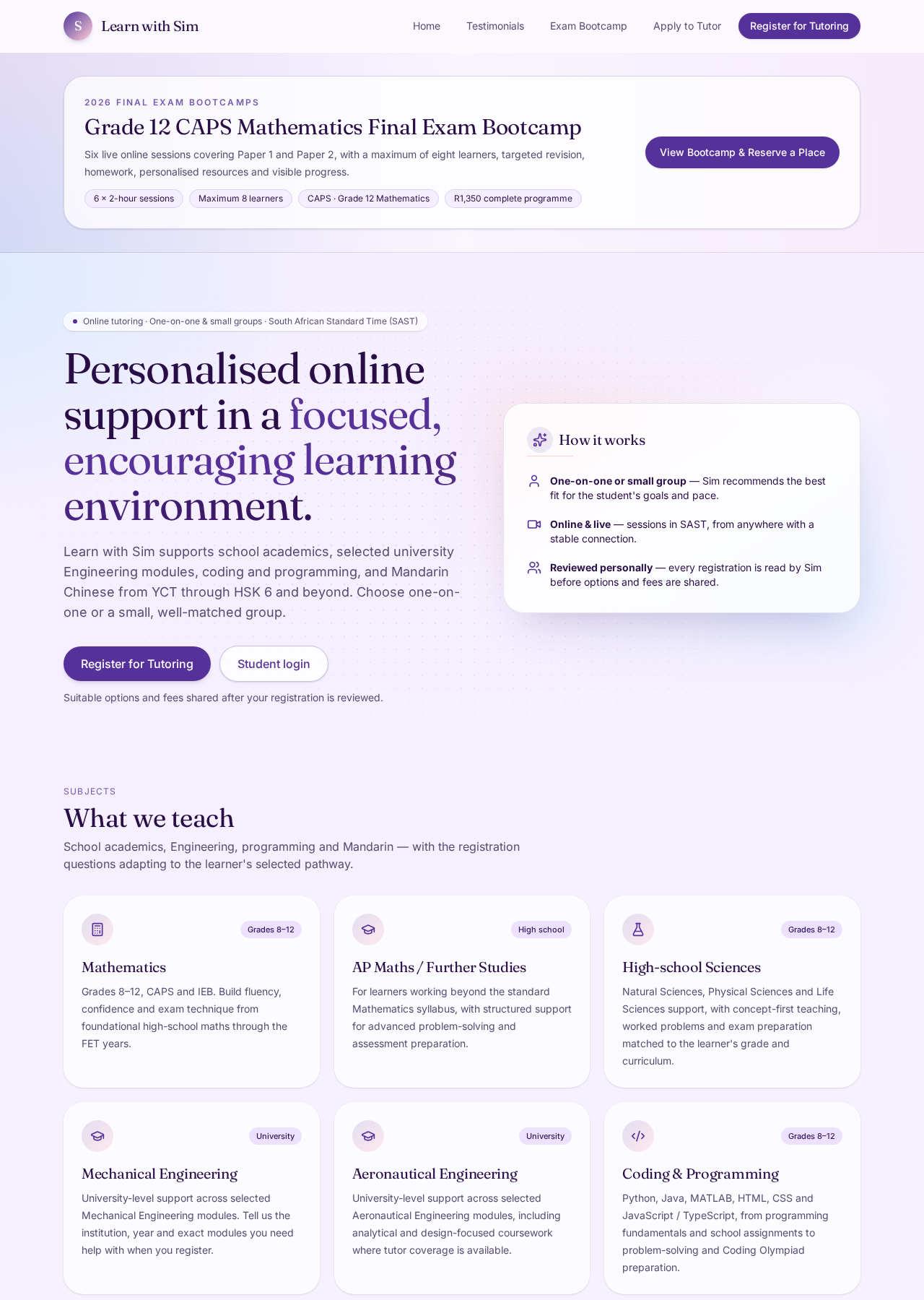
01 // Tutoring platform and operational system
A growing tutoring operation brought into one connected platform: public discovery, guided learner intake, tutor applications and dedicated spaces for students, tutors and administration.
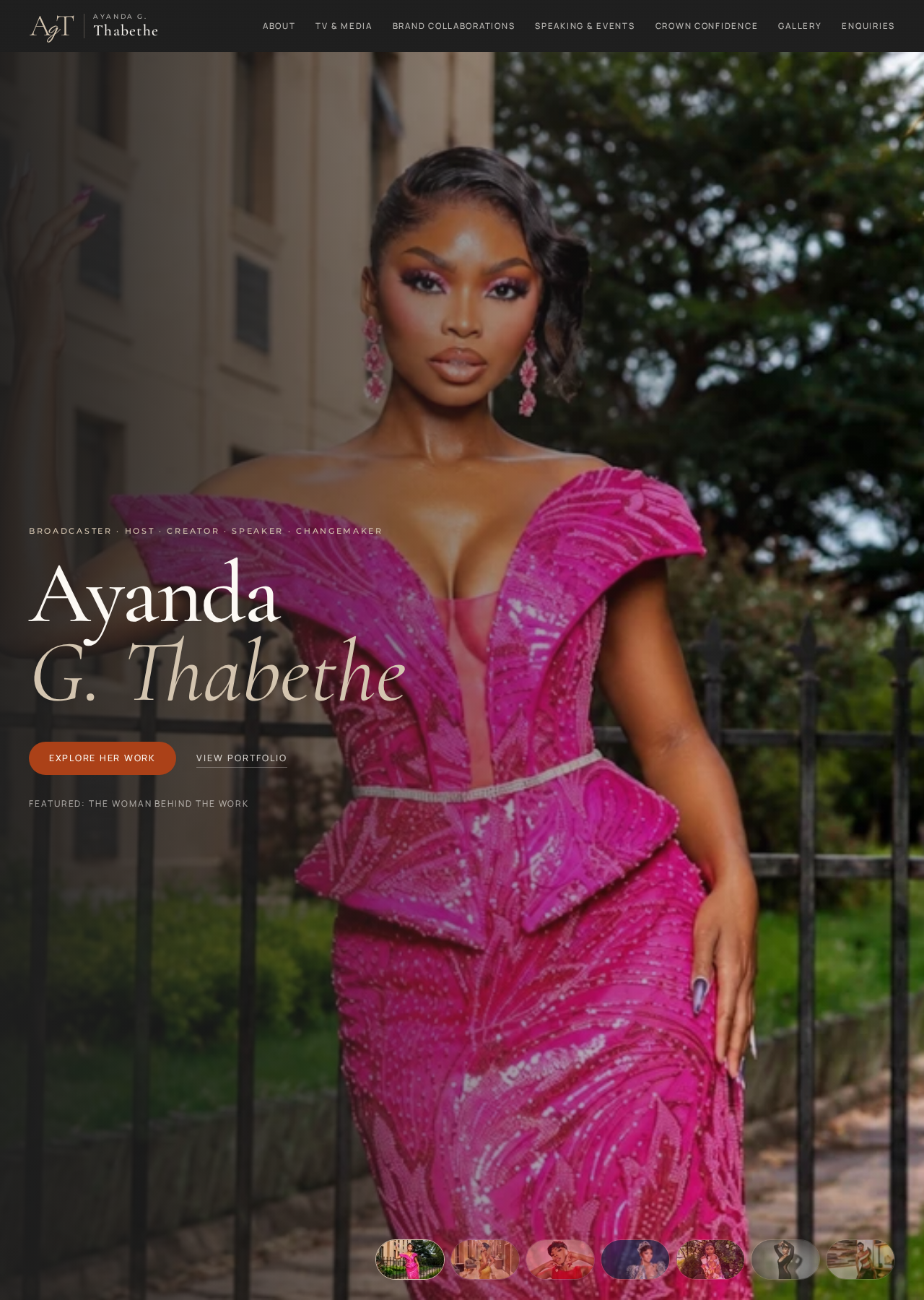
02 // Media and personal-brand platform
A complete digital home for a broadcaster, host, creator, speaker and changemaker — bringing media work, partnerships, speaking, an empowerment initiative and professional enquiries into one editorial experience.
Capabilities
The right answer may be a public platform, an internal operating tool, a data flow — or a combination.
Connected public and private experiences for customers, members, students, staff or other distinct user groups.
Purpose-built tools that bring records, schedules, statuses and daily work into one reliable process.
Reliable data flows and dashboards that turn operational information into a clear, decision-ready view.
Guided intake that captures complete information, then supports review, status tracking and follow-up.
Every customer, enquiry, quote and follow-up in one private view, with stages and reminders.
Products, services, orders and payment journeys designed as part of the wider business process.
Distinctive digital homes that position the brand clearly and turn attention into the right next action.
Sound familiar?
When important information is scattered, repeated or difficult to trust, the right digital system can restore control.
Enquiries, bookings, customer details and follow-ups are all somewhere inside WhatsApp.
One sheet tracks customers. Another tracks payments. A third one is called “FINAL_final_v3”.
A customer fills in a form. Then you copy it into a spreadsheet. Then you send the same information somewhere else.
The information exists, but it takes three people and four files to work out what is happening.
You may need a platform, portal, dashboard, data flow or automation — the current process is no longer enough.
Describe what is frustrating you, and the right replacement gets worked out from there.
Describe your messy processWhat gets built
Start with the problem. The technology decision can come afterwards.
Distinctive, high-performing websites for businesses, public profiles and professional brands.
Turn a public website into a guided process, with complete information arriving where it belongs.
Role-based portals and admin tools for customers, staff, tutors, students or members.
Operational dashboards, reporting views and data pipelines that bring important information together reliably.
Storefronts for businesses whose customers need to browse, order or pay online. Larger marketplace platforms are scoped separately.
Redesigns, mobile fixes, clearer content, improved structure and functionality that actually gets used.
That is the most common starting point. Describe how the business currently runs, what is frustrating and what you wish customers could do on their own. The right solution is worked out backwards from there.
Work it out with the plannerBefore and after
Before
After
Not every business needs custom software. Sometimes a better website is enough. Sometimes it needs a portal, dashboard, data pipeline or workflow behind it. What matters is that the thing built actually solves the problem in front of you.
In practice
Different businesses, the same underlying problem: information arriving in the wrong place, handled by hand.
Parents submit registrations and schedule changes in one place instead of sending scattered messages. The business can organise learner information and requests from an admin view.
Learners register, indicate subjects and availability, and the tutor manages enquiries and group placement from one system.
A professional website brings together biography, work, media, galleries and booking enquiries in one polished place.
Customers browse products, place orders and receive a much clearer buying experience than ordering through DMs.
A structured path from first enquiry to launch, explained in plain language.
Public experiences, private tools, dashboards and data flows designed as one system.
Forms, registrations and workflows that fit how the work is actually done.
Clear decisions, visible progress and no unnecessary technical vocabulary.
Why this exists
Many growing businesses are doing incredibly well while still running important parts of the business through WhatsApp messages, paper, spreadsheets and memory.
As those businesses grow, the manual processes that once worked start creating unnecessary admin, lost information and frustrated customers.
That gap is the whole job here.
The starting point is how your business actually operates, where things are becoming difficult to manage, and what practical solution fits the way the work needs to be done. Sometimes that is a better website. Sometimes an enquiry system, dashboard, registration portal, reporting dashboard, data pipeline or custom workflow.
The goal is not technology for its own sake. It is a business that is easier to run.
Understand the business first.
Design the process second.
Build the technology third.
Software development, data engineering and systems thinking are applied according to the problem — not sold as ends in themselves. More about the studio
What keeps showing up
Three ways to start — in order
You can jump straight to getting in touch. The planner and estimate simply make that first conversation faster and more accurate.
A few guided questions in plain language about your business, your customers and what you need people to be able to do.
You get a recommendation for the type of platform, system or website that fits.
Open the plannerYour planner answers are turned into an indicative cost range, so you know roughly what the work involves before any conversation about money.
You get a non-binding range, confirmed properly once the scope is agreed.
See your estimateSend your contact details, with your planner answers and estimate attached automatically if you completed them.
You get a reply with next steps and a discovery conversation.
Send your detailsAlready know what is frustrating you? Skip ahead and describe it in your own words.
Discuss the projectNext step // start with the problem
No technical brief, feature list or correct terminology required. A description of how things currently work is more than enough to start.